
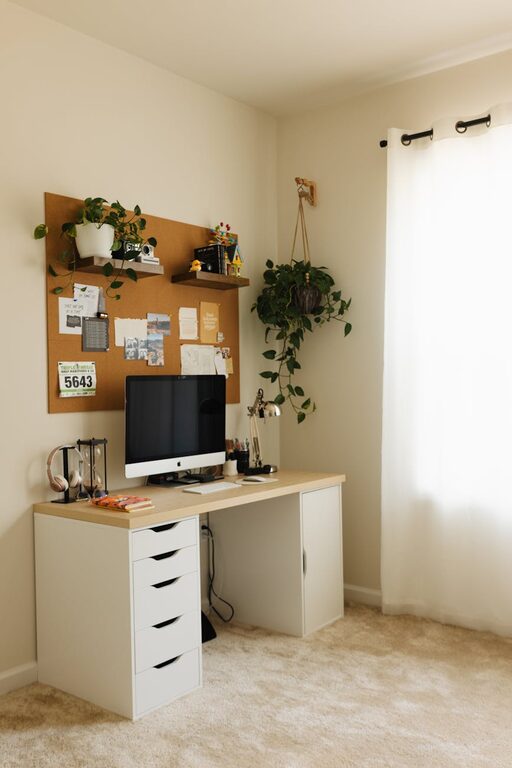
Creating a home office that is both cozy and productive can make a big difference in how you feel about your workday. Whether you’re working remotely, freelancing, or simply need a dedicated space for tasks, an inviting and functional workspace can boost your focus and motivation. Here are practical tips to help you design a home office space where comfort meets efficiency.
Find the Right Location
Choose a Quiet, Undisturbed Spot
Look for a part of your home that experiences minimal noise and foot traffic. A corner in a spare room, a nook by a window, or even an unused dining area can work well. Having a dedicated space helps separate work from personal life.
Consider Natural Light
Natural light improves mood and energy levels. Position your desk near a window if possible. If sunlight causes glare on your screen, use light curtains or blinds to soften the brightness.
Invest in Comfortable Furniture
Ergonomic Chair and Desk
Comfort is key when spending long hours at your desk. Choose a chair with good lumbar support and adjustable height. Pair it with a desk that suits your height and provides enough space for your computer, supplies, and paperwork.
Add Soft Textiles
Incorporate a cushion, throw blanket, or even a small rug to add warmth. These touches create a cozy feel and make your workspace inviting.
Organize for Efficiency
Use Storage Solutions
Keep your desk clutter-free by using shelves, drawers, or storage bins. Organizers for pens, paper, and cables can prevent mess and help you focus on tasks.
Create a Filing System
Whether digital or paper, having a system for your documents saves time looking for important information. Label folders clearly and review your files regularly to keep things tidy.
Personalize Your Space
Add Plants
Plants not only improve air quality but also bring a refreshing natural element to your workspace. Choose low-maintenance varieties like pothos or succulents.
Display Inspiring Items
Photographs, artwork, or motivational quotes can make your office feel unique and uplifting. Be sure not to overcrowd surfaces — balance is important.
Manage Lighting and Temperature
Layer Your Lighting
Combine overhead lighting with task lamps or desk lamps. Adjustable lamps direct light where you need it and reduce eye strain.
Control Temperature
Avoid working in spaces that are too cold or too hot. Small fans, heaters, or open windows can help regulate temperature for comfort throughout the year.
Minimize Distractions
Use Noise-Cancelling Headphones
If your home environment has background noise, headphones can help you maintain focus during calls or deep work sessions.
Set Boundaries
Communicate your working hours to family or housemates to limit interruptions. Consider using a visual indicator, like a closed door or a “Do Not Disturb” sign.
Incorporate Technology Wisely
Reliable Internet and Equipment
Ensure your internet connection is strong and stable. Invest in quality equipment like keyboards, mice, and monitors that support your workflow comfort.
Manage Cables
Use cable clips or sleeves to keep cords organized and out of the way. This reduces clutter and prevents accidents.
Take Breaks and Refresh Your Space
Schedule Regular Breaks
Short breaks improve productivity and reduce fatigue. Use this time to stretch, hydrate, or step outside for fresh air.
Change Your Setup Occasionally
Switch your chair position or rearrange items to refresh your workspace. Even small changes can make your office feel new and inspiring.
Final Thoughts
Designing a cozy and productive home office doesn’t have to be complicated. By selecting the right location, furnishing it comfortably, organizing efficiently, and personalizing your space thoughtfully, you create an environment that supports your best work. Remember, the key is to foster both comfort and focus so you can stay motivated and enjoy your workday at home.
About the Author